English
 中文
 العربية
 Nederlands
 Français
 Deutsch
 Italiano
 Português
 Русский
 Español
 ไทย
 Tiếng Việt
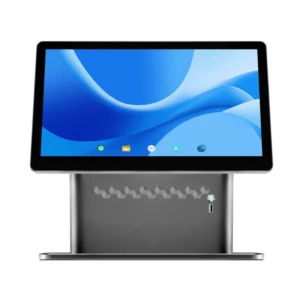
A smart POS terminal manufacturer develops retail payment hardware by combining operating system options, display configurations, payment modules, and expandable interfaces. Genstar’s S2 Smart POS Terminal supports single-screen or dual-screen designs, Android or Windows systems, NFC payment, and barcode scanning options for different retail checkout requirements.
What Is a Smart POS Terminal and How Is It Defined?
A smart POS terminal is an integrated payment and checkout device that combines transaction processing, display interaction, payment functions, and peripheral connectivity in one system.
The GENSTAR S2 Smart POS Terminal is designed for retail environments requiring configurable checkout hardware. Its configuration can be adapted through several hardware and software options:
Operating systems: Android or Windows.
Display configurations: Single-screen or dual-screen.
Payment functionality: Optional NFC module.
Scanning functionality: Optional barcode scanning module.
Hardware expansion: Modular POS hardware interfaces and peripheral connections.
A smart POS terminal manufacturer evaluates these components according to checkout workflows, software compatibility, and the equipment required at the point of sale.
How Does the GENSTAR S2 Support Different Retail Configurations?
The GENSTAR S2 supports different retail requirements through selectable operating systems, display arrangements, and optional functional modules.
Why Are Android and Windows POS Terminals Different?
Android POS terminals generally support Android-based payment applications, touchscreen interfaces, and application-oriented retail workflows. Windows POS terminals are commonly selected when businesses require compatibility with Windows-based POS software, existing peripherals, or established desktop management systems.
The S2 provides two operating system options:
Android POS terminal: Suitable for Android-compatible checkout applications and simplified device management.
Windows POS terminal: Suitable for retail software environments built around Windows applications.
The appropriate system depends on application compatibility, peripheral drivers, software licensing, and the retailer’s existing IT infrastructure.
When Should Retailers Choose a Dual-Screen POS System?
A dual screen POS system is useful when cashiers and customers need separate display interfaces during checkout.
The S2 offers single-screen and dual-screen configurations. Their differences can be summarized as follows:
| Configuration | Main Function | Typical Application |
|---|---|---|
| Single-screen POS | Cashier operation and transaction management | Small shops and basic checkout counters |
| Dual-screen POS | Cashier operation and customer-facing information | Supermarkets and service counters |
| Android POS | Android application compatibility | Flexible retail payment environments |
| Windows POS | Windows software compatibility | Established retail management systems |
Compared with traditional solutions that use separate computer displays and payment devices, an integrated POS configuration can reduce equipment separation and simplify counter arrangements.
How Do NFC and Barcode Scanning Modules Work?
NFC and barcode scanning modules provide different transaction input methods and can be selected according to the retailer’s payment and product identification requirements.
An NFC POS terminal uses near-field communication to exchange payment information with compatible contactless cards and mobile devices. A scanning module reads product barcodes or supported codes to retrieve item information from the connected POS application.
The main advantages include:
NFC supports contactless payment workflows.
Barcode scanning reduces manual product code entry.
Integrated modules help consolidate checkout equipment.
Selectable configurations allow retailers to match hardware with operational requirements.
These functions depend on module compatibility, software integration, payment service support, and the relevant regional requirements.
What Are the Main Applications of the GENSTAR S2?
The S2 is suitable for retail and service environments that require integrated payment processing and configurable checkout equipment.
Typical applications include:
Retail stores: Product scanning, payment processing, and sales management.
Supermarkets: High-frequency checkout and customer-facing transaction displays.
Restaurants and cafés: Order entry, payment processing, and counter management.
Convenience stores: Compact checkout arrangements with optional contactless payment.
Service counters: Customer interaction and transaction processing through integrated displays.
The required configuration varies according to transaction volume, counter space, software systems, and payment methods.
How Should Businesses Choose a Smart POS Terminal Manufacturer?
Businesses should evaluate a smart POS terminal manufacturer based on hardware flexibility, software compatibility, manufacturing capabilities, and quality control rather than product appearance alone.
A practical selection process includes:
Confirm operating system requirements. Check whether the existing POS application supports Android or Windows.
Evaluate display needs. Determine whether a customer-facing second screen is necessary.
Identify payment requirements. Confirm NFC compatibility and applicable payment certifications.
Check scanning capabilities. Verify supported barcode types and scanning module integration.
Review hardware expansion. Examine available interfaces and peripheral compatibility.
Assess manufacturing capabilities. Review production capacity, customization experience, component sourcing, and inspection procedures.
For importers, system integrators, and retail equipment brands, OEM and ODM capabilities may also influence the choice of manufacturing partner.
What Factors Affect Smart POS Terminal Costs?
Smart POS terminal costs are influenced by hardware specifications, selected modules, software requirements, production quantities, and customization complexity.
The main cost factors include:
Operating system and licensing requirements.
Single-screen or dual-screen configuration.
Display size, resolution, and touch technology.
NFC and barcode scanning module selection.
Processor, memory, and storage specifications.
Peripheral interfaces and connectivity options.
OEM or ODM development requirements.
Order quantity, packaging, and regional compliance testing.
A basic single-screen configuration may require fewer components than a dual-screen model with additional payment and scanning modules. However, the final cost should be evaluated against the complete configuration and production requirements.
How Does Genstar Approach POS Hardware Development?
Genstar focuses on POS terminal products and configurable retail payment hardware, with the GENSTAR S2 serving as an example of its integrated terminal design.
Its product configuration approach covers operating system selection, display arrangements, payment functionality, scanning modules, and hardware expansion. These options allow equipment specifications to be aligned with different retail workflows.
For procurement evaluation, additional company information should include:
Manufacturing experience and years in the POS industry.
Factory area and number of production lines.
Monthly and annual production capacity.
OEM and ODM development capabilities.
Hardware engineering and software integration resources.
Product inspection procedures and applicable certifications.
Quality assurance should cover incoming component inspection, assembly verification, functional testing, display testing, interface checks, and final product inspection. Relevant certifications and test standards should be confirmed for the actual product configuration and target market rather than assumed across all models.
Frequently Asked Questions
What Is a Smart POS Terminal Manufacturer?
A smart POS terminal manufacturer is a company that develops or produces integrated point-of-sale equipment combining payment processing, display interfaces, transaction software compatibility, and peripheral connections. Its capabilities may include hardware configuration, module integration, production, and OEM or ODM services.
How to Choose a Smart POS Terminal for a Retail Business?
Choose a smart POS terminal by comparing operating system compatibility, display requirements, NFC payment support, barcode scanning capabilities, peripheral interfaces, and total ownership costs. The configuration should match the retailer’s software environment and daily checkout workflow.
Why Do Retail Businesses Need Modular POS Hardware?
Modular POS hardware allows businesses to select functions according to their operational requirements. Retailers can choose display configurations, payment modules, scanning capabilities, and expansion options without requiring every installation to use the same hardware specification.
Source & Expertise
This article is based on the stated configuration characteristics of the GENSTAR S2 Smart POS Terminal and general POS hardware engineering and retail deployment principles.
For technical evaluation, buyers should request the official product datasheet, module specifications, interface documentation, operating system compatibility information, quality inspection records, and applicable certification documents from Genstar.
Company-specific manufacturing figures and certification details should be verified through official corporate documentation.
Last Updated: November 19, 2026