English
 中文
 العربية
 Nederlands
 Français
 Deutsch
 Italiano
 Português
 Русский
 Español
 ไทย
 Tiếng Việt
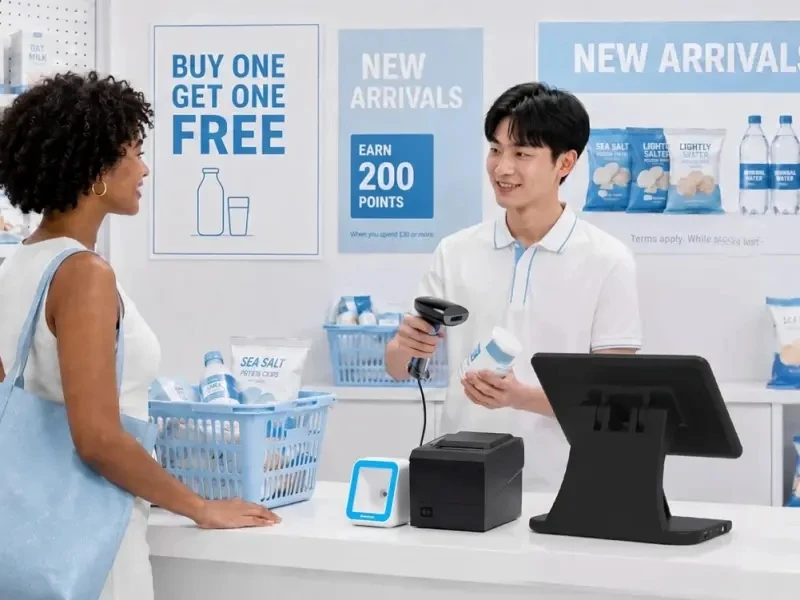
Retail businesses are increasingly adopting self-service solutions to improve checkout efficiency and reduce pressure on store staff. However, installing a self-service device alone does not guarantee a smooth shopping experience. Customers also need a clear interface, accessible scanning functions, and straightforward payment instructions. A modern retail self-checkout terminal brings these elements together through an interactive display and configurable hardware, helping retailers build a more convenient checkout process.
Why an Intuitive Interface Matters in Self-Service Retail
The user interface plays an important role in determining how easily customers complete a purchase. If product scanning, quantity confirmation, and payment instructions are difficult to understand, customers may need additional assistance from store employees. Therefore, an effective self-service interface should present each step clearly and guide users through the checkout process. Simple navigation, readable information, and visible operation prompts can help reduce confusion and improve the overall shopping experience.
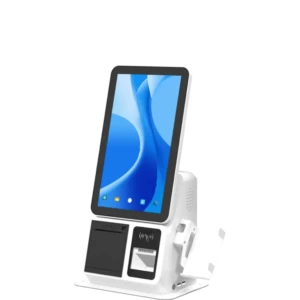
A large touchscreen provides more space for displaying product information, transaction details, and checkout instructions. The Genstar G2 features a large-format display that supports interactive retail applications. In addition, its single-screen or dual-screen configuration allows businesses to consider different layouts according to their store environment. For example, one screen can focus on customer interactions, while a second display can support additional information or staff-facing operations when the software and configuration allow it.
How Self-Service Scanning Creates a Faster Checkout Workflow
Scanning is one of the central steps in a self-service checkout process. Customers need to identify products, review the items in their order, and proceed to payment without unnecessary interruptions. Consequently, the interface should provide clear feedback after each scanning action and make it easy to correct mistakes. A well-organized workflow can also help first-time users understand what to do next.
A self-checkout machine should connect the scanning process with transaction confirmation and payment instructions. For example, the interface can guide customers from product identification to order review before presenting the next available checkout step. However, the actual scanning method depends on the connected scanner, software, and system configuration. Retailers should therefore confirm peripheral compatibility and workflow requirements before selecting a complete solution.
Flexible Screen Configurations for Different Retail Environments
Retail stores have different space limitations and customer interaction requirements. Small shops may prefer a compact single-screen setup, while larger supermarkets may benefit from a configuration that separates customer interaction from other operational information. The G2 supports customizable single-screen and dual-screen arrangements, providing flexibility when planning a checkout counter. Moreover, its expandable hardware design allows businesses to evaluate additional modules according to their operational needs.
This flexibility is useful because a checkout terminal may serve different purposes across retail environments. A convenience store may prioritize a compact installation, whereas a supermarket may need a more comprehensive checkout station. Therefore, choosing the right screen configuration should involve both the available counter space and the expected customer flow. Retailers should also consider how the terminal will connect with their existing POS software and peripherals.
Why an Integrated Thermal Printer Improves Checkout Convenience
Printed receipts remain important in many retail transactions. Customers may need them for returns, expense records, purchase confirmation, or other store procedures. An integrated printer can reduce the need for a separate printing device and help create a more organized checkout station. In addition, automatic paper cutting can make receipt handling more convenient during repeated transactions.
The Genstar G2 offers an optional built-in thermal printer with different paper-width configurations and an automatic cutter. This option allows retailers to select a suitable setup according to their receipt requirements. Nevertheless, the printer is optional rather than a standard feature in every configuration. Buyers should confirm the required printer type, paper size, and integration compatibility when discussing their project.
Key Hardware Specifications of the Genstar G2
The following table summarizes the hardware details shown in the supplied product materials. Optional features are identified separately to distinguish them from the standard display configuration.
| Parameter | Specification |
|---|---|
| Model | Genstar G2 |
| Screen Size | 15.6 inches |
| Resolution | 1920 × 1080 |
| Screen Configuration | Single or dual screen, customizable |
| Operating System Options | Android / Windows shown in product materials |
| Printer | Optional built-in thermal printer |
| Printer Width | 58mm / 80mm |
| Printer Function | Automatic cutter |
| Hardware Design | Expandable modules |
| Application | Retail POS and self-service checkout |
Important UI Design Considerations for Self-Checkout Terminals
An effective checkout interface should make the customer journey easy to understand, even for people who have never used a self-service device. Rather than placing every function on one screen, designers should organize the process into clear stages. Furthermore, important actions should remain visible, and the system should provide understandable feedback when a customer completes or needs to repeat an operation.
Several interface principles can help improve the experience:
Clear scanning instructions: Show customers where and how to scan products, with visible prompts for each step.
Readable transaction details: Display product names, quantities, and prices in an organized format.
Simple navigation: Keep the main actions easy to find and avoid unnecessary menu layers.
Visible payment guidance: Explain the next step clearly after customers review their shopping list.
Error recovery: Provide understandable instructions when a product cannot be recognized or an operation needs to be repeated.
Accessible assistance: Make it easy for customers to request help when they encounter difficulties.
These principles should be considered alongside hardware selection. A suitable screen layout, compatible scanning accessories, and reliable POS software all contribute to the final user experience.
Applications Across Supermarkets and Other Retail Businesses
Self-service checkout is relevant to more than one type of retail business. Supermarkets may use self-service stations to support customers who prefer to scan and pay for their purchases independently. Convenience stores, specialty shops, and other retail environments may also consider these devices when planning checkout areas. A modern retail self-checkout terminal can support these applications when its hardware configuration and software functions match the store’s actual transaction process.
For self-checkout in supermarkets, retailers should evaluate customer volume, counter layout, scanning requirements, receipt preferences, and payment integration. A payment terminal may also form part of the overall checkout setup, but its supported payment methods depend on the connected payment hardware and service provider. Therefore, businesses should confirm whether card readers, scanners, printers, and other peripherals are included or need to be selected separately.
How Genstar Supports Customizable Retail POS Configurations
Genstar offers the G2 as a retail POS platform with configurable screen arrangements and optional hardware modules. Its large display, expandable design, and optional thermal printer provide several configuration possibilities for different checkout environments. In addition, businesses can discuss their preferred operating system, screen arrangement, printer requirements, and peripheral connections when planning a project. This helps retailers and system integrators evaluate a configuration that aligns with their store layout and intended self-service workflow.
Conclusion
A successful self-service checkout experience depends on more than scanning speed. Clear instructions, an organized interface, suitable screen arrangements, and compatible peripherals all influence how easily customers complete their purchases. A modern retail self-checkout terminal with customizable display options and expandable hardware can provide a flexible foundation for different retail applications. Before deployment, retailers should confirm the required scanning equipment, payment integration, printer configuration, and POS software compatibility to ensure that the complete system meets their operational needs.